Families and students
Households, contacts and students linked the way real families are. Per-subject enrollments, with assessment and level history that follows each student.
For learning and enrichment centers
Families and students, class schedules and check-in, staff hours and payroll prep, texting, email and billing reminders. One login and one bill, instead of six or seven tools that don’t talk to each other.
One platform instead of seven
Every separate tool is another login, another monthly bill, another export that doesn’t line up. Here’s the whole job, and the single platform that covers it.
Why centers switch| The job | What you’re using now | CenterSuite |
|---|---|---|
| Families and student records | Spreadsheets, a CRM | |
| Email and campaigns | Mailchimp, Constant Contact | |
| Lead and inquiry tracking | HubSpot, spreadsheets | |
| Class scheduling | Booking apps, paper | |
| Attendance and check-in | Paper sign-in sheets | |
| Staff scheduling and time clock | Homebase, QuickBooks Time | |
| Payroll prep | QuickBooks Time + manual | |
| Family texting | SimpleTexting, a separate app | |
| Billing reminders | QuickBooks + spreadsheets | |
| Reports across everything | Exports + spreadsheets | |
| Logins and bills | 6–7 subscriptions | One |
Examples reflect tools centers commonly use; products and plans vary. Names are trademarks of their respective owners, shown for comparison only.
A day at the front desk
Most centers live between 3 and 7. Here’s that stretch in CenterSuite, hour by hour, on the demo center’s data.
2:30 PM
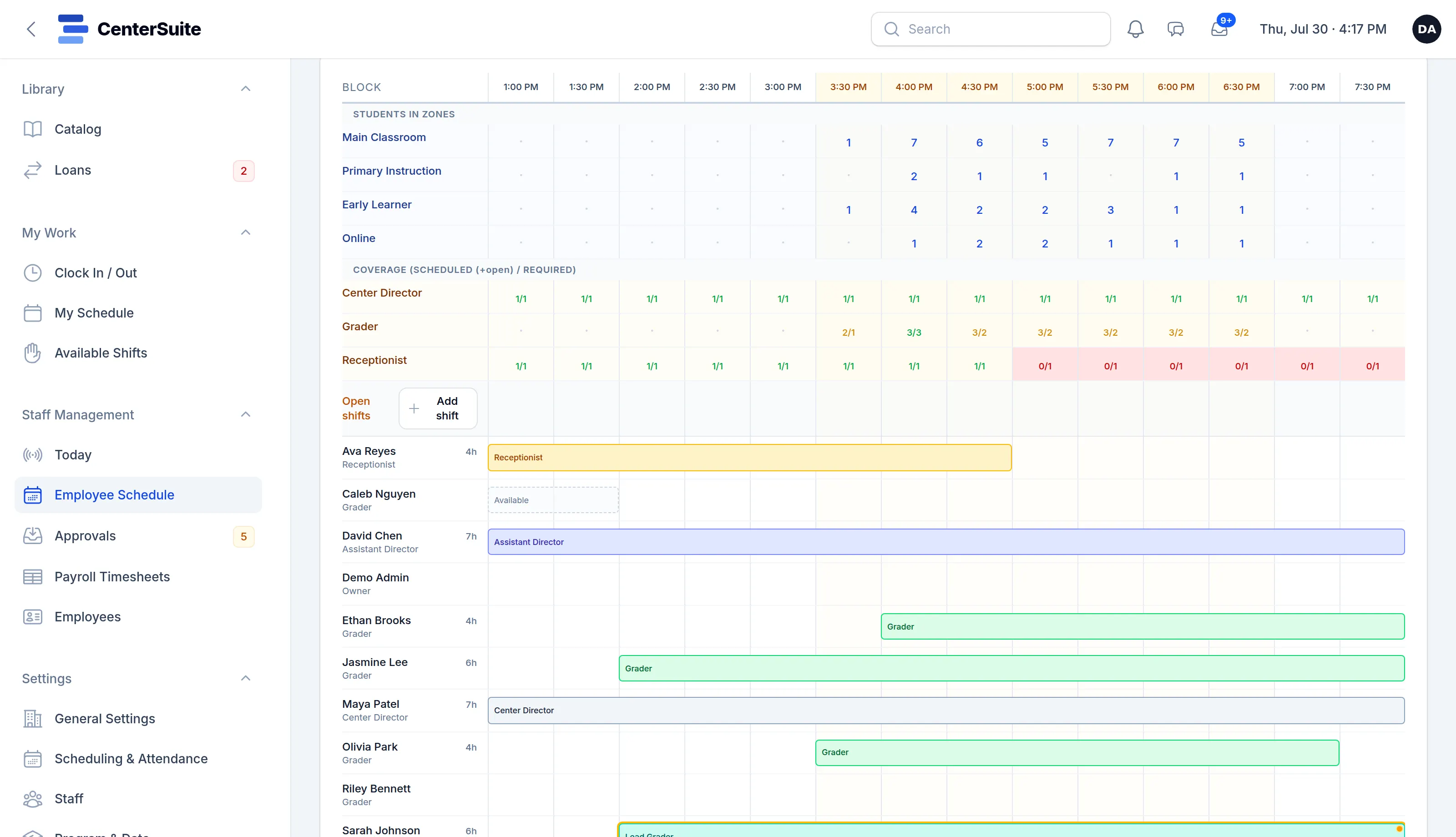
The day view puts students per zone beside staff coverage. A short-handed hour shows up red while there’s still time to fix it.
3:30 PM
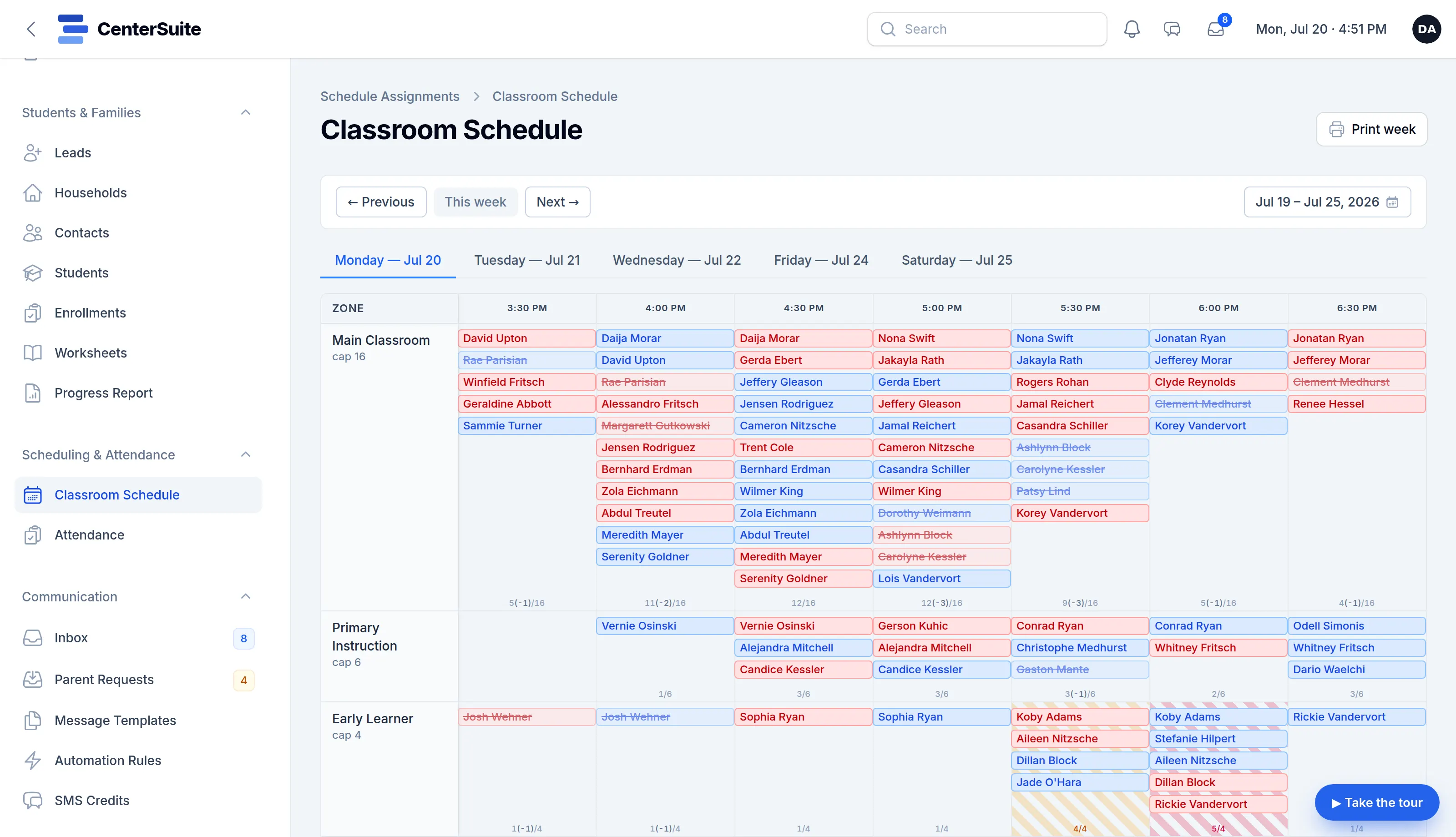
One classroom schedule, recurring slots plus one-off changes, drives check-in. Every zone shows its head-count against its cap.
4:13 PM
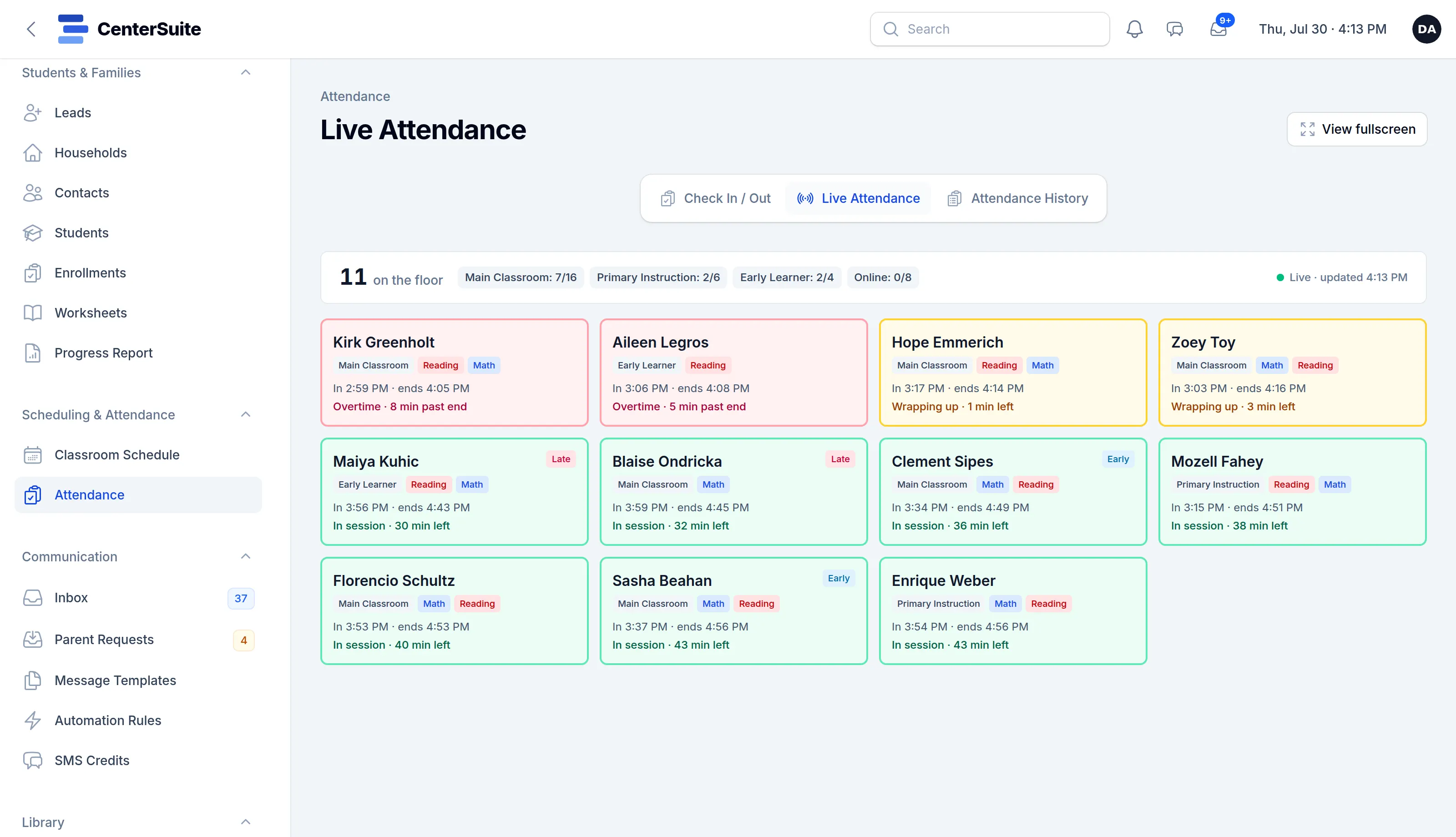
The live board shows everyone on the floor, when they came in and how long is left. Wrapping up turns amber. Overtime turns red, before a parent has been waiting long.
4:22 PM
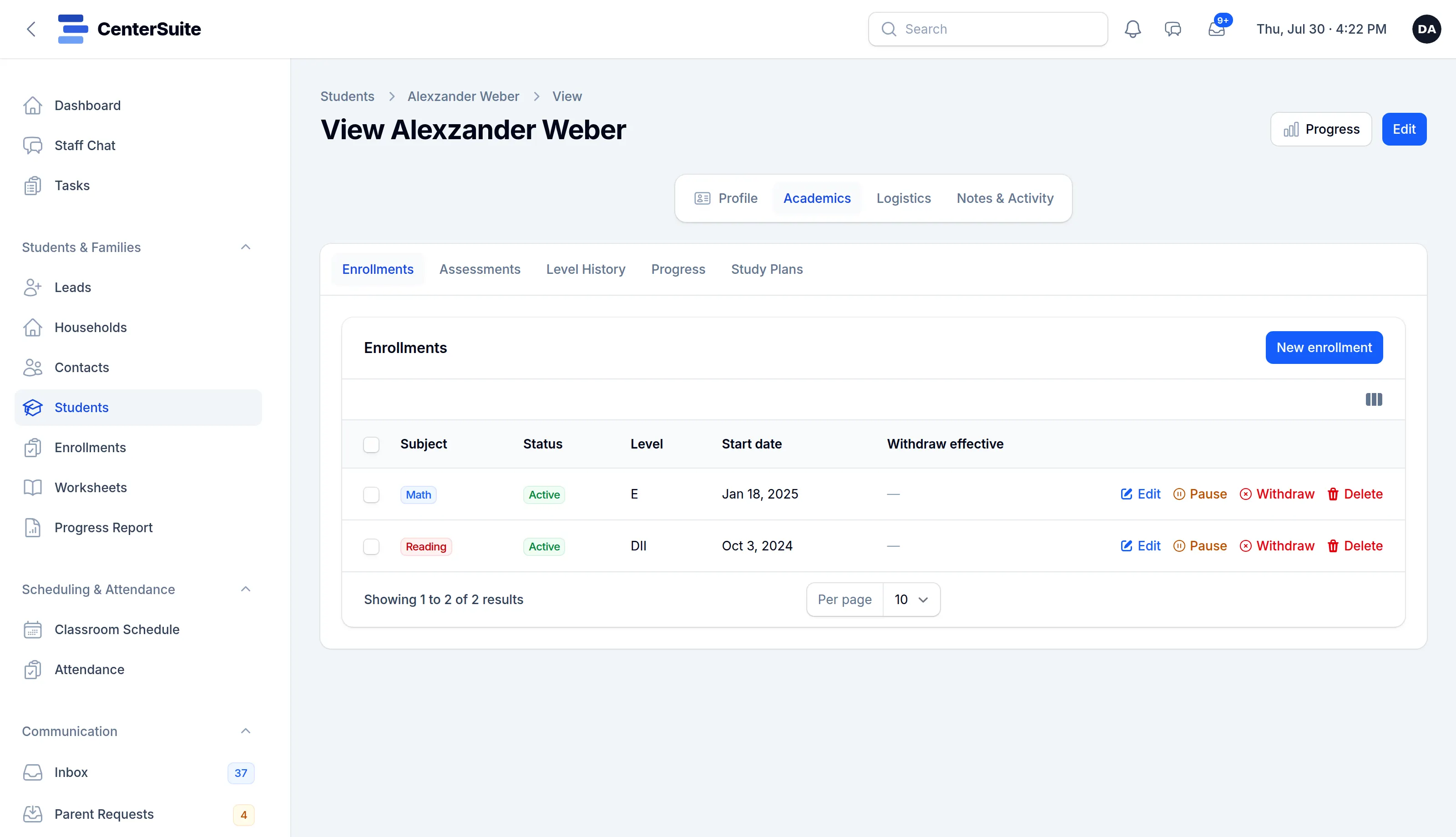
Enrollments, assessments, level history and progress live on one student record. The answer is two clicks away, not in a binder.
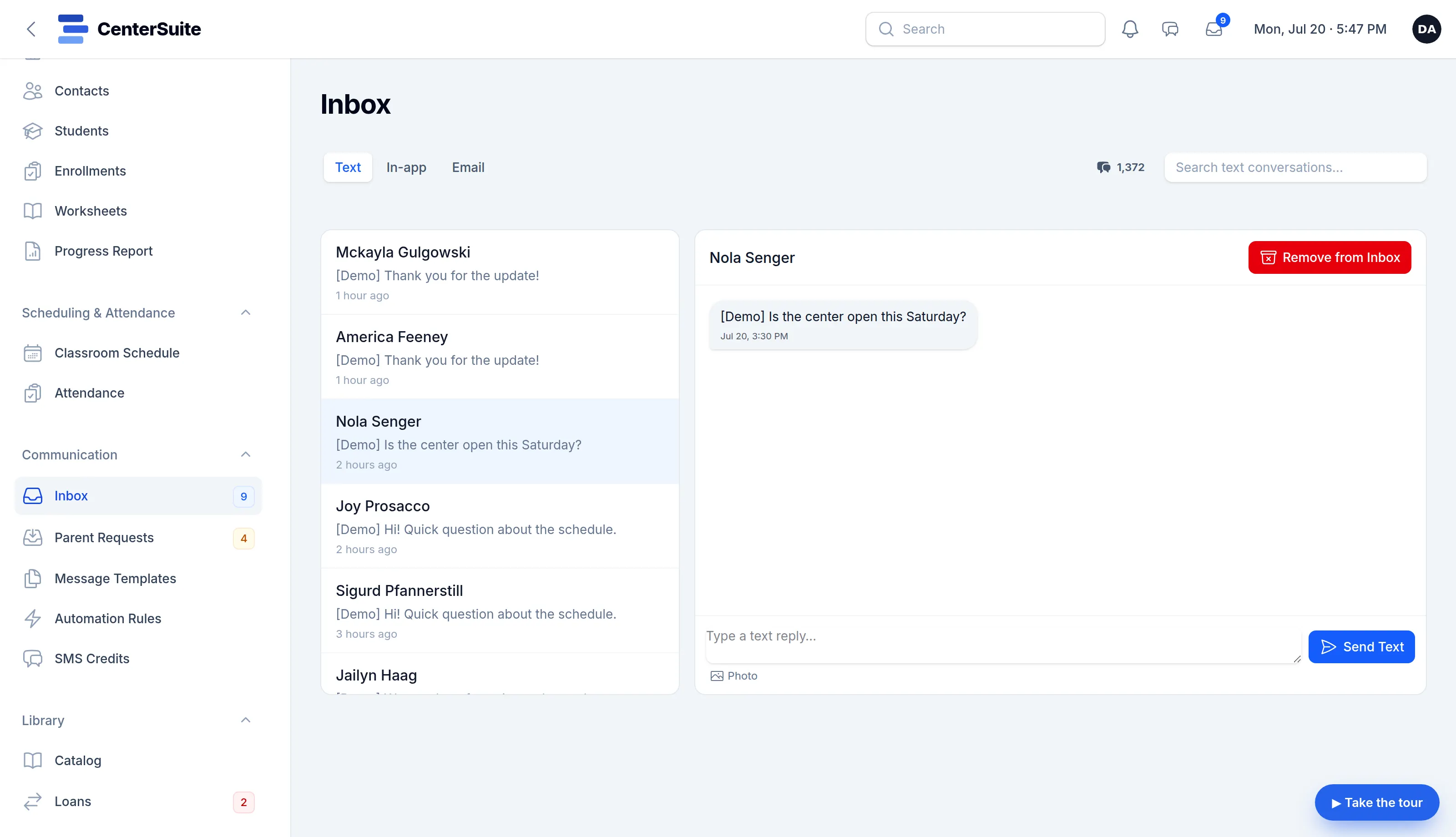
5:47 PM
Texts and email land in one inbox. Reply from the front desk, and the conversation is logged on the family’s record.
7:00 PM
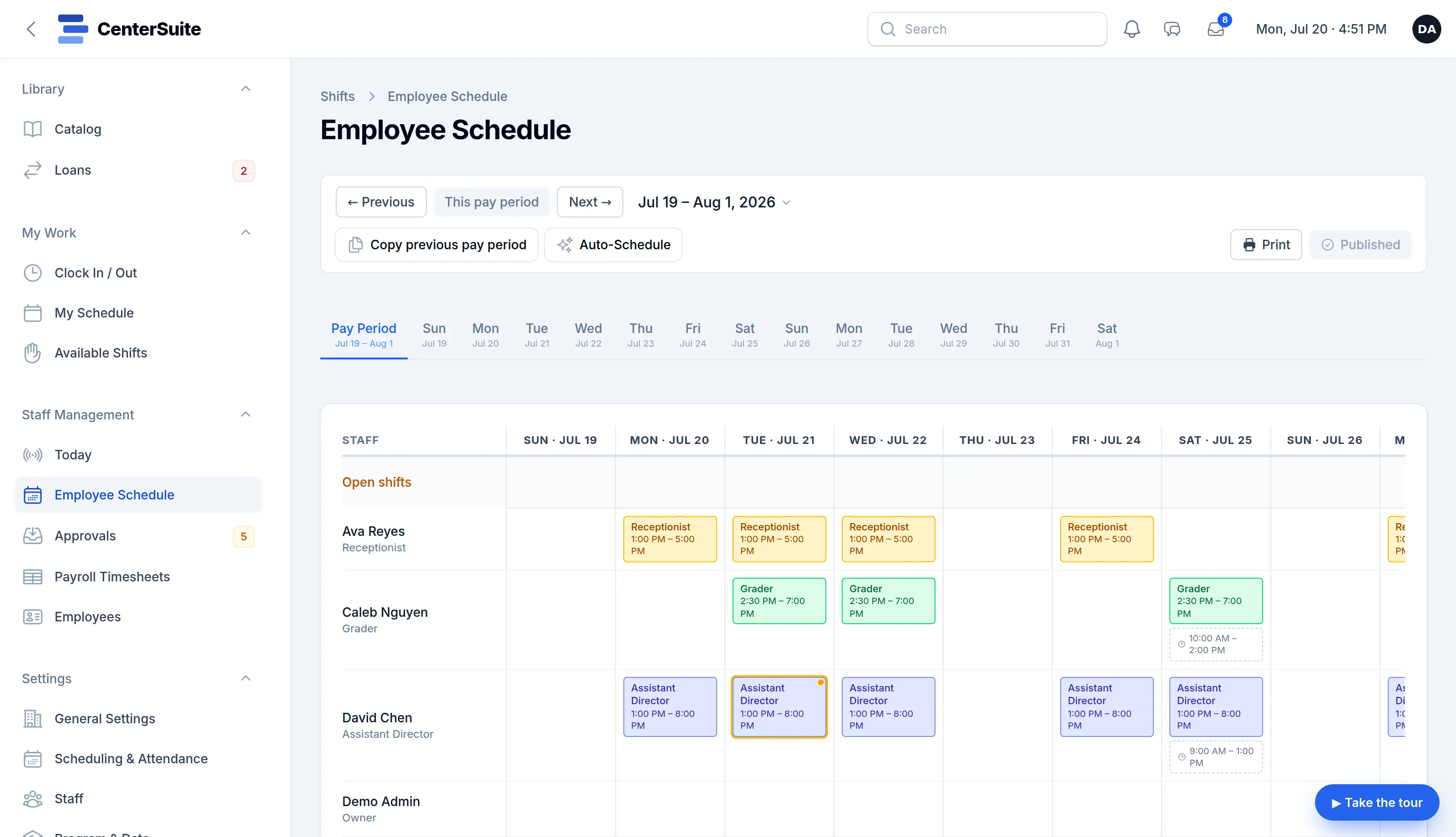
End-of-day close-out runs on its own. Clock-ins become timesheets that roll into payroll prep, and Auto-Schedule drafts the next pay period for you to check.
CenterSuite wasn’t dreamed up by a software company guessing at your day. It was built with Center Directors who live it — pressure-tested against the real chaos of a busy center: front-desk check-ins, last-minute schedule changes, parent texts, payroll. Every feature earned its place.
Organized around the work
Built around the jobs you actually do, not a list of modules.
Households, contacts and students linked the way real families are. Per-subject enrollments, with assessment and level history that follows each student.
One classroom schedule drives check-in and a live attendance board, so the floor always matches the plan.
Staff scheduling, a real time clock, timesheets and payroll prep, instead of a separate app and a spreadsheet.
Email and two-way texting from one inbox, with templates and automation that sends the right message at the right time.
Per-family billing schedules with reminders and follow-up tasks, so nothing slips. Set it once and let it run.
Each family gets its own login: progress, schedule, attendance and messages, so the front desk fields fewer calls.
Moving over
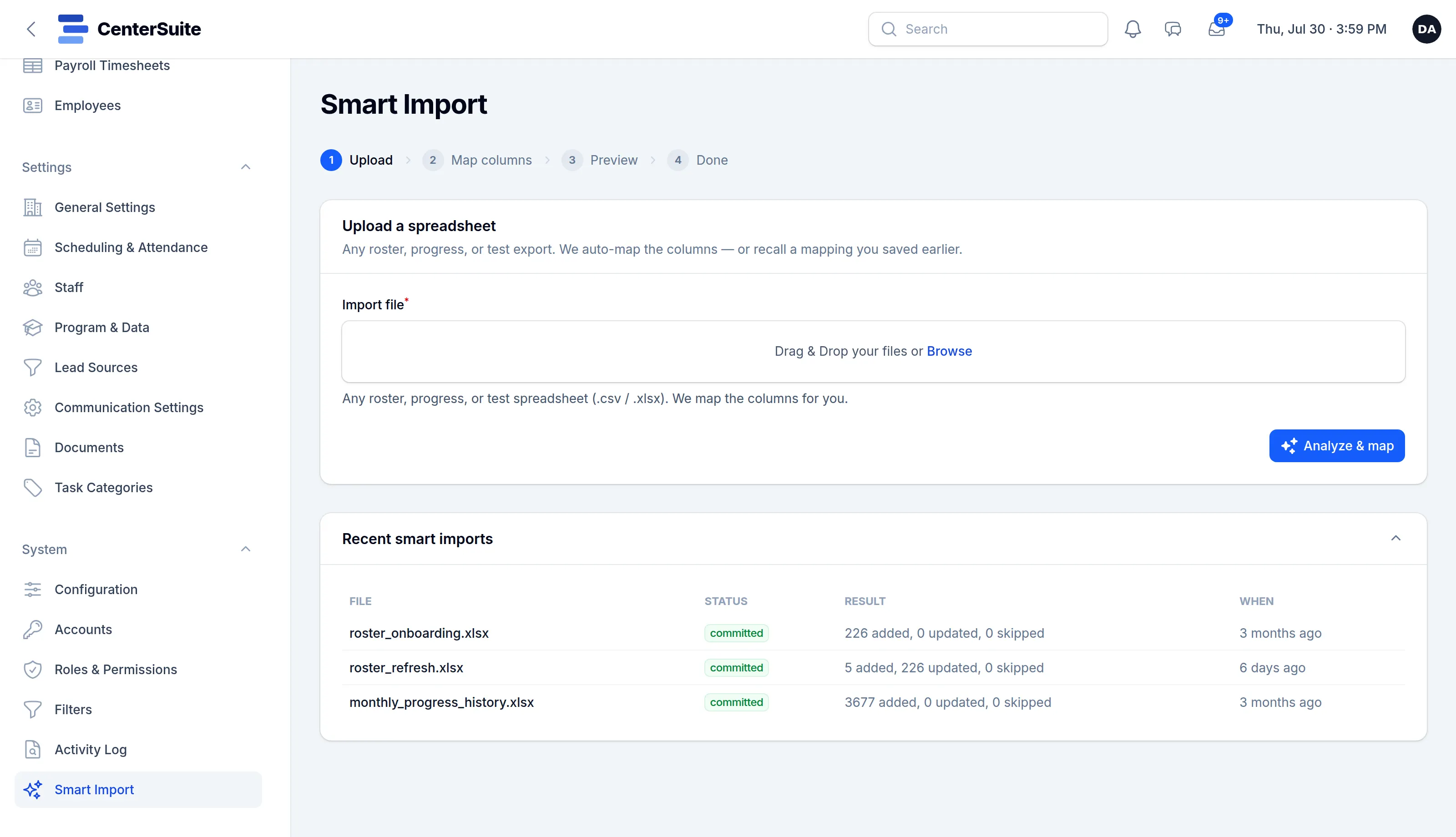
You don’t rebuild your center by hand. We import your families, students, schedule and staff, and nothing changes over until everything’s right and you’re comfortable.
Transparent pricing
Most centers already pay about this much, often more, spread across separate subscriptions.
The usual stack, per month
Typical total$170–425+
CenterSuite
$185/month
Everything included. One login, one bill, and everything talks to everything else.
or $1,850 a year, two months free
Ranges reflect common published prices for comparable small-business tools as of 2026; your actual costs vary by plan, add-ons and contact count. CenterSuite is $185 a month, everything included.
Easier than staying on the patchwork. We migrate your families, students, schedule and staff for you, set things up to match how your center runs, and keep you on your old tools until you’re confident. You’re not doing this alone.
Yes. Spin up a live demo on showcase data in about a minute, or book a guided walkthrough on data that looks like your center’s. No commitment either way.
No long-term contract. It’s month to month, cancel any time. Your data is yours and exports any time, so you’re never locked in.
Yes. Every center gets its own isolated database, so your data is never mixed with another center’s. Connections are encrypted, and sensitive fields are encrypted at rest.
Always. Your families, students, staff and history export to standard files whenever you want. No lock-in.
A short, guided walkthrough is the fastest way to know if it fits how your center runs. Or spin up your own live demo now and click around.
Ready already? Sign up and start today