Features
Everything a center runs on, connected.
No more exporting from one tool to import into another. Families, schedule, staff, messages and growth live in the same place, and finally talk to each other.
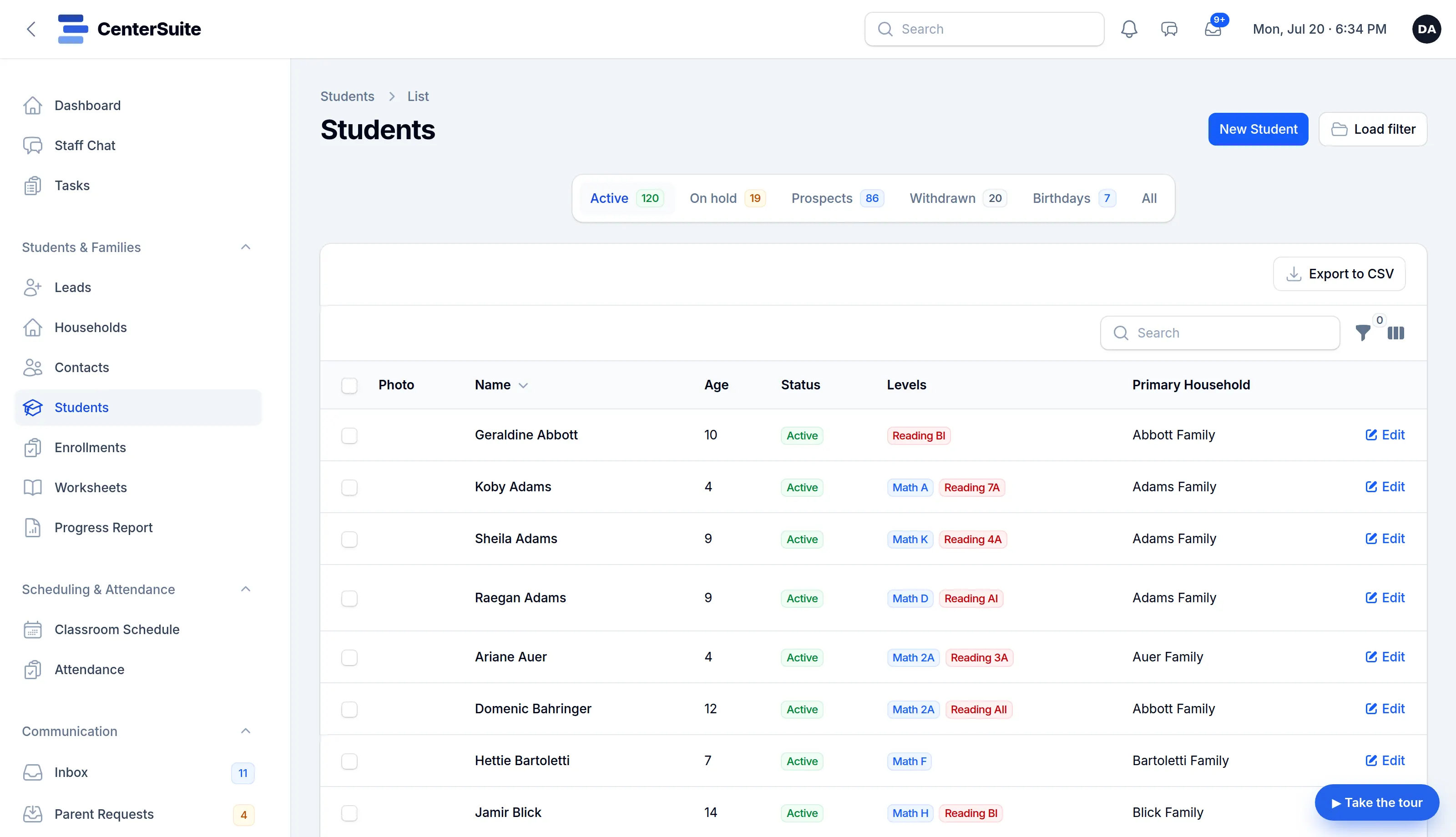
Families and students
The whole family, on one record.
- Households, contacts and students linked the way real families are.
- Per-subject enrollments, placement, and a pause and withdraw lifecycle.
- Assessments tied to each student, not lost in a binder.
- Notes and custody details where the front desk can find them.
Progress and assessments
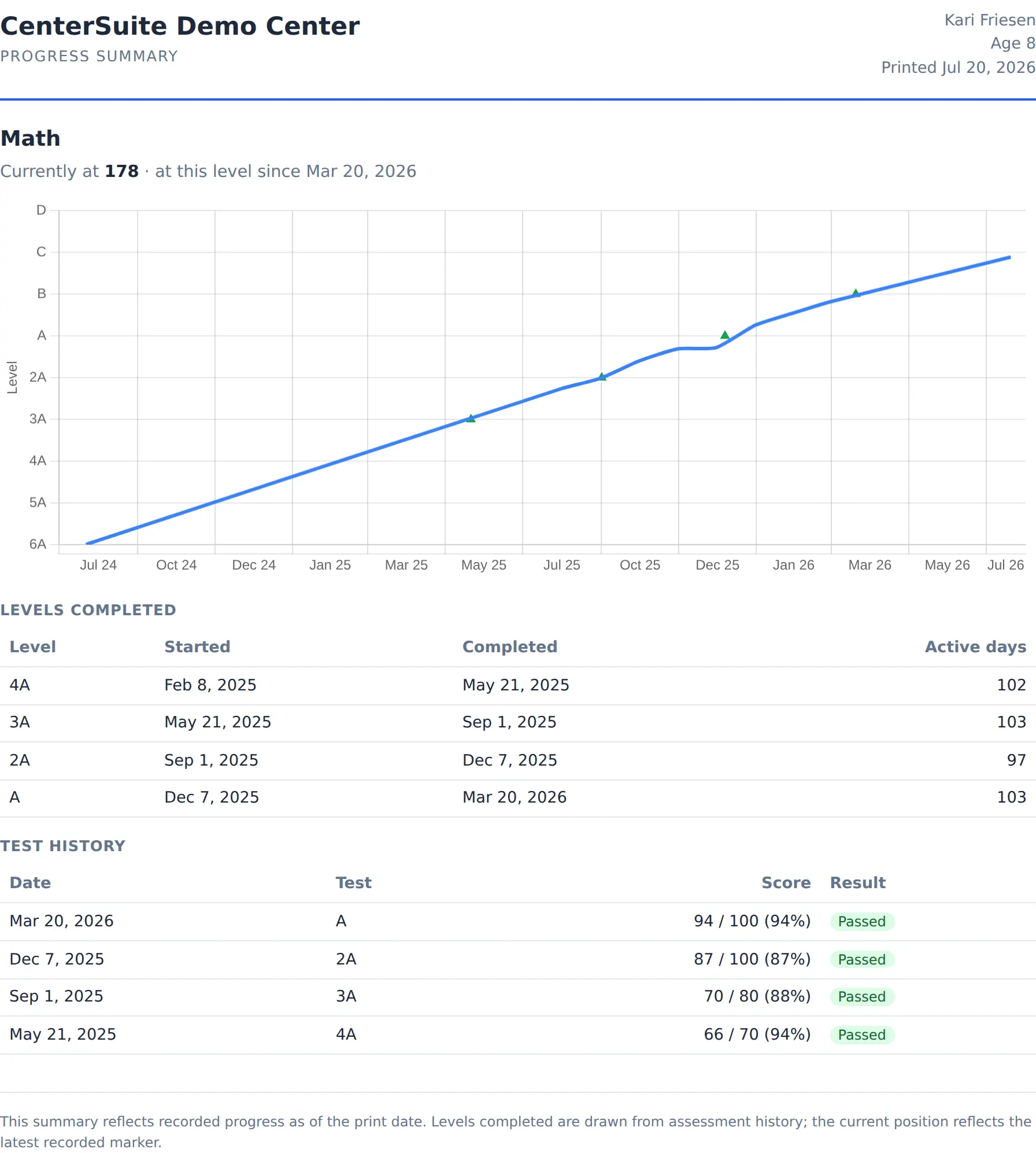
Show families real progress.
- Placement and achievement assessments tied to each student.
- Level history that follows a student across re-enrollments.
- Progress charts built from your own monthly data.
- Branded summaries parents actually want to see.
Scheduling and attendance
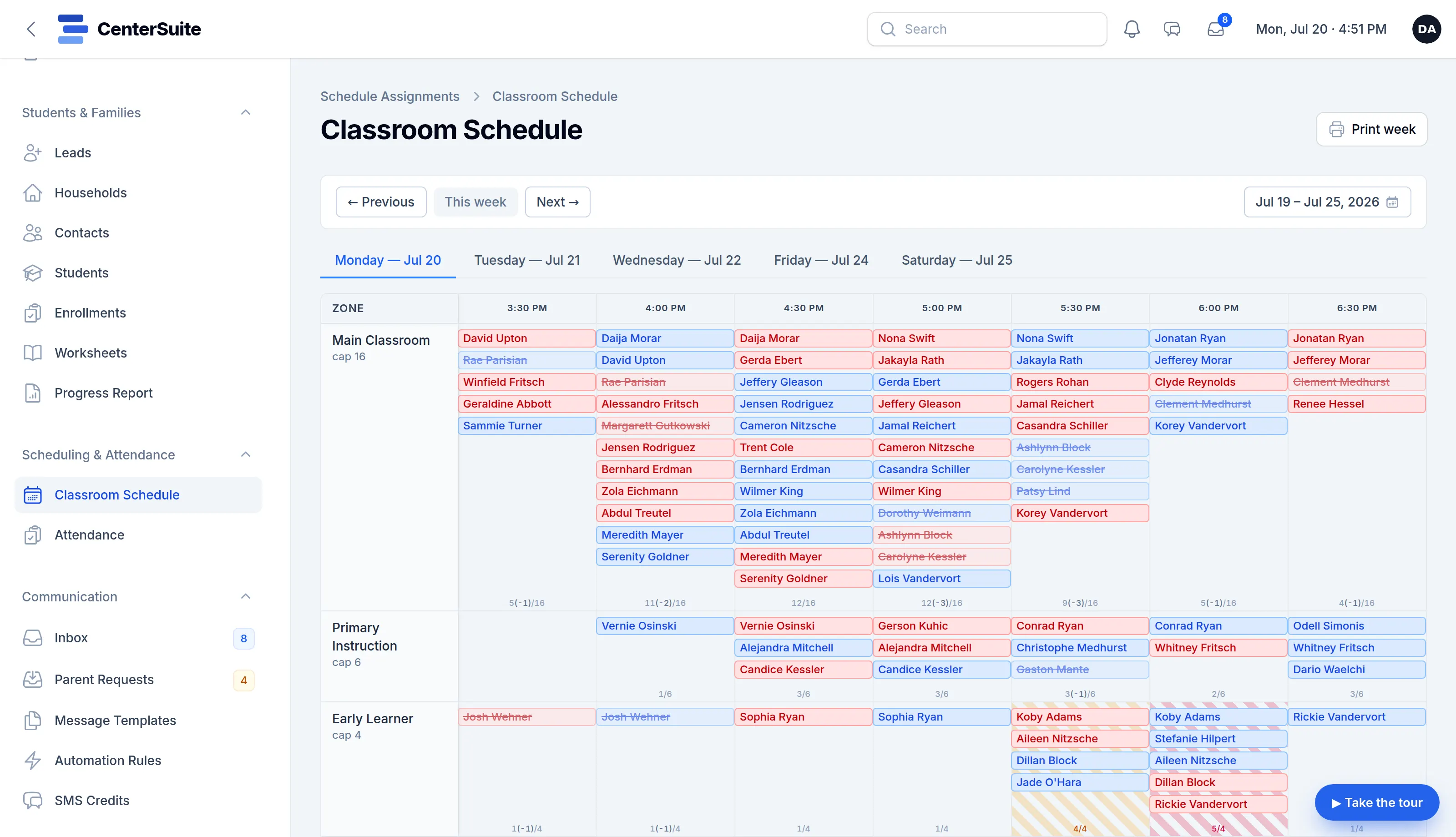
One schedule that drives the whole day.
- A single classroom schedule: recurring slots plus one-off changes.
- Check-in and a live attendance board that match the plan in real time.
- Walk-ins handled without breaking the schedule.
- Punctuality and capacity at a glance.
Staff and payroll
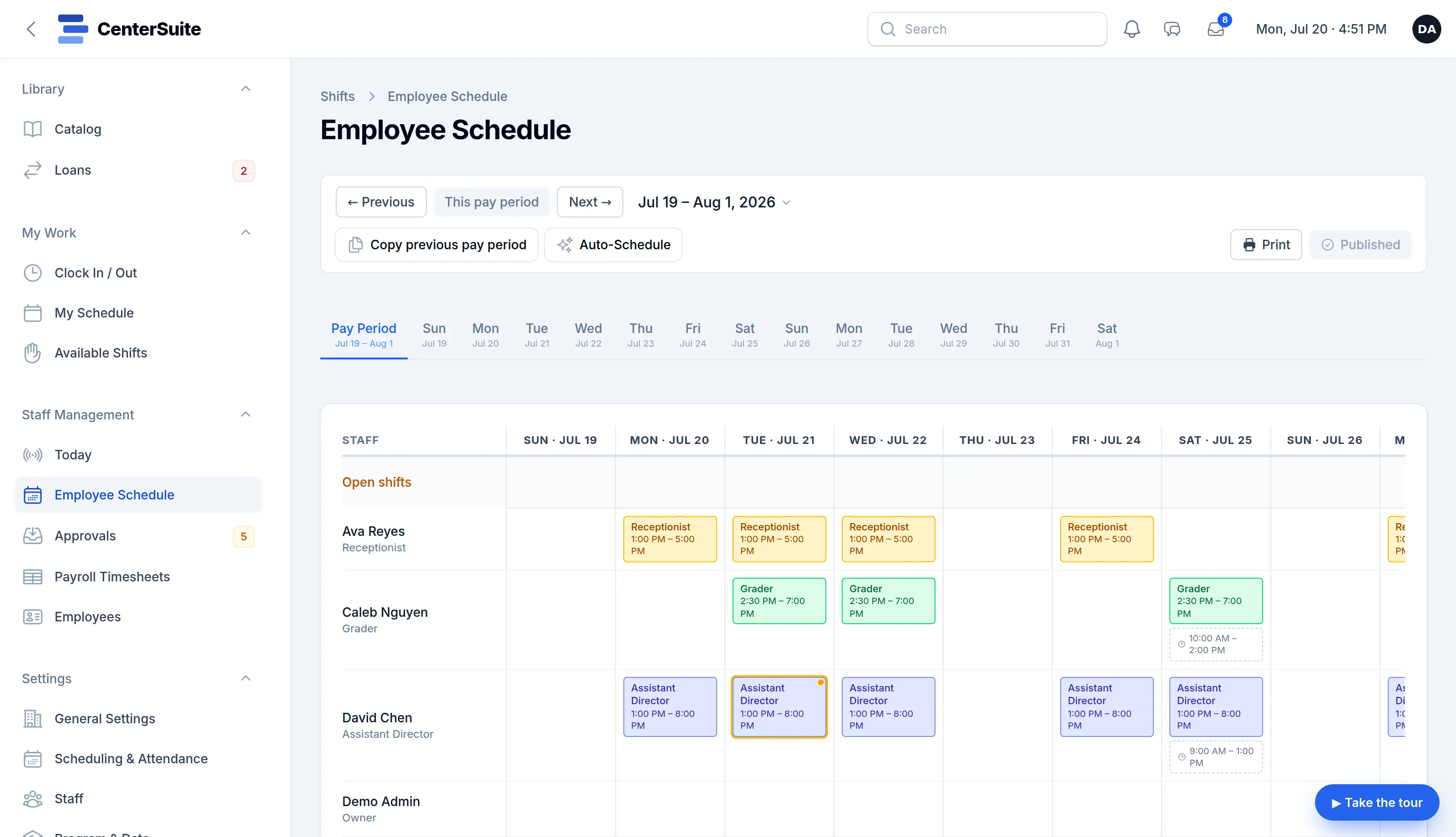
Build the schedule, run the clock, prep payroll.
- Draft a whole pay period from your coverage needs in one click. You review and publish; nothing is forced.
- Build and adjust staff schedules against your real operating hours.
- A genuine time clock with breaks and corrections.
- Timesheets that roll straight into payroll prep.
Texting and email
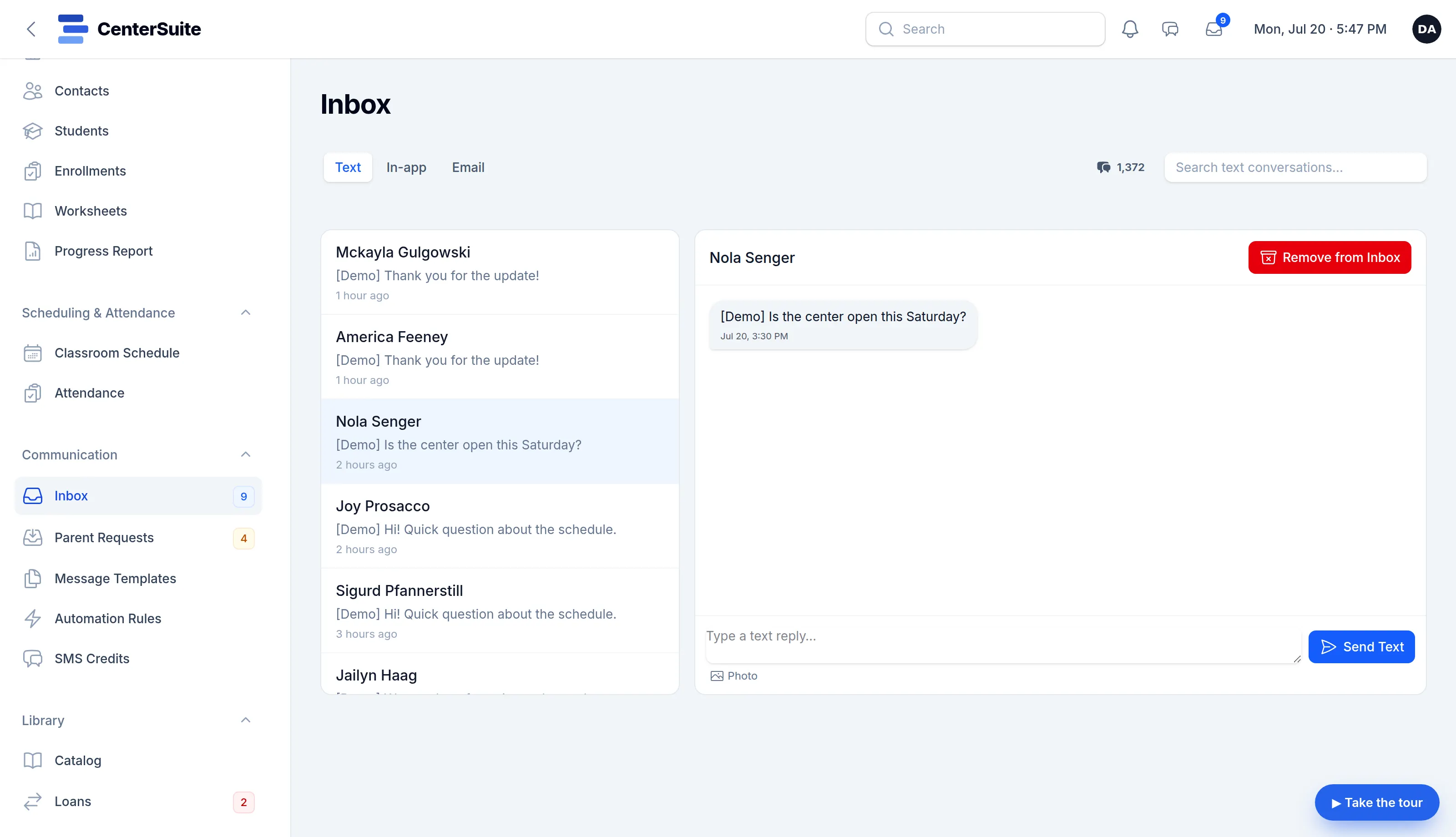
Email and text from one place.
- Two-way texting and email without a separate service.
- Reusable templates for the messages you send every week.
- Automation that sends the right note at the right moment.
- Every message logged on the family’s record.
Parent portal
Give families their own front door.
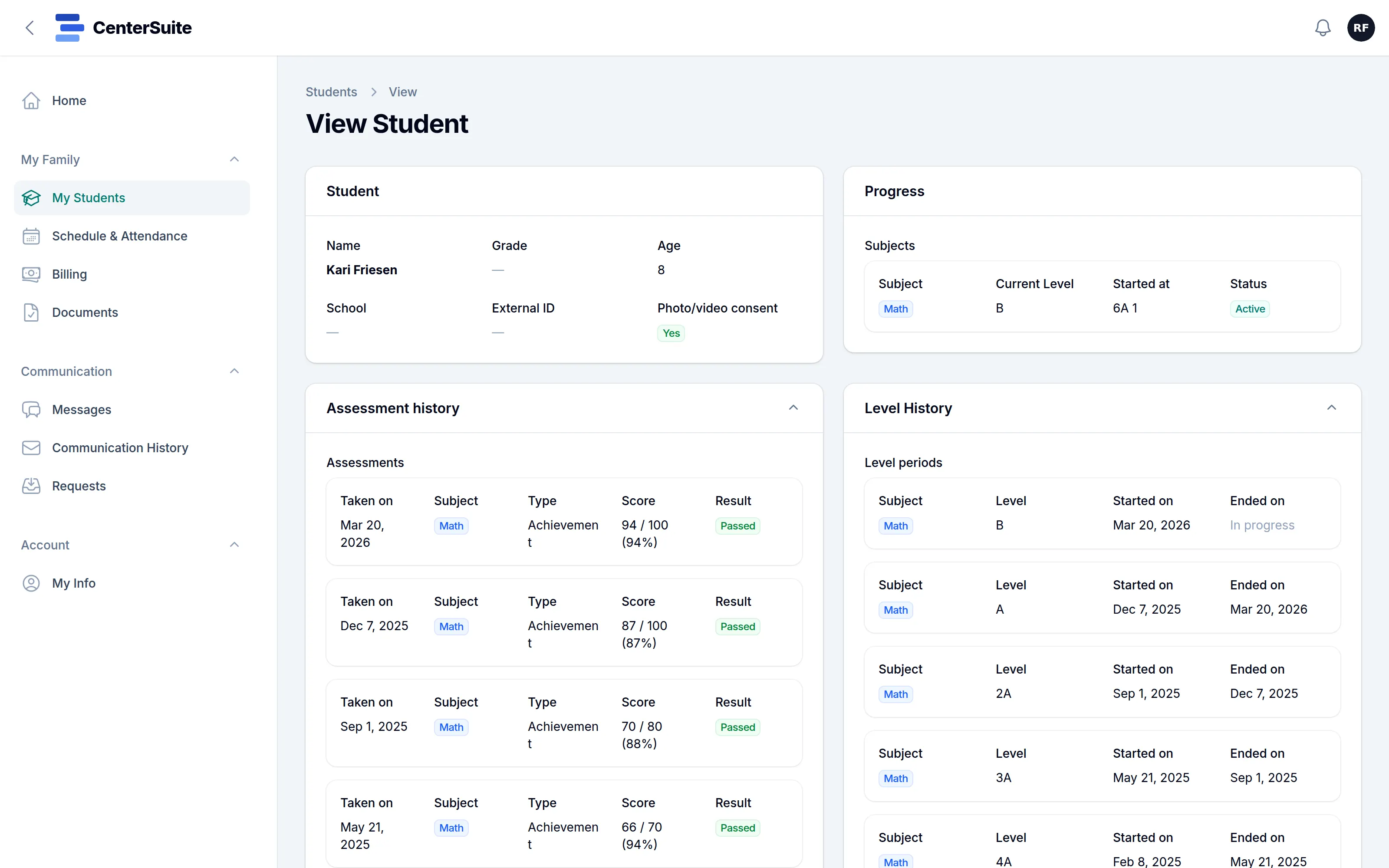
- A private login for each family: progress, schedule and attendance.
- Email, text and in-app messages in one thread.
- Billing reminders and the schedule at a glance.
- Requests and self-service updates, so the front desk fields fewer calls.
Getting started
Bring your history with you.
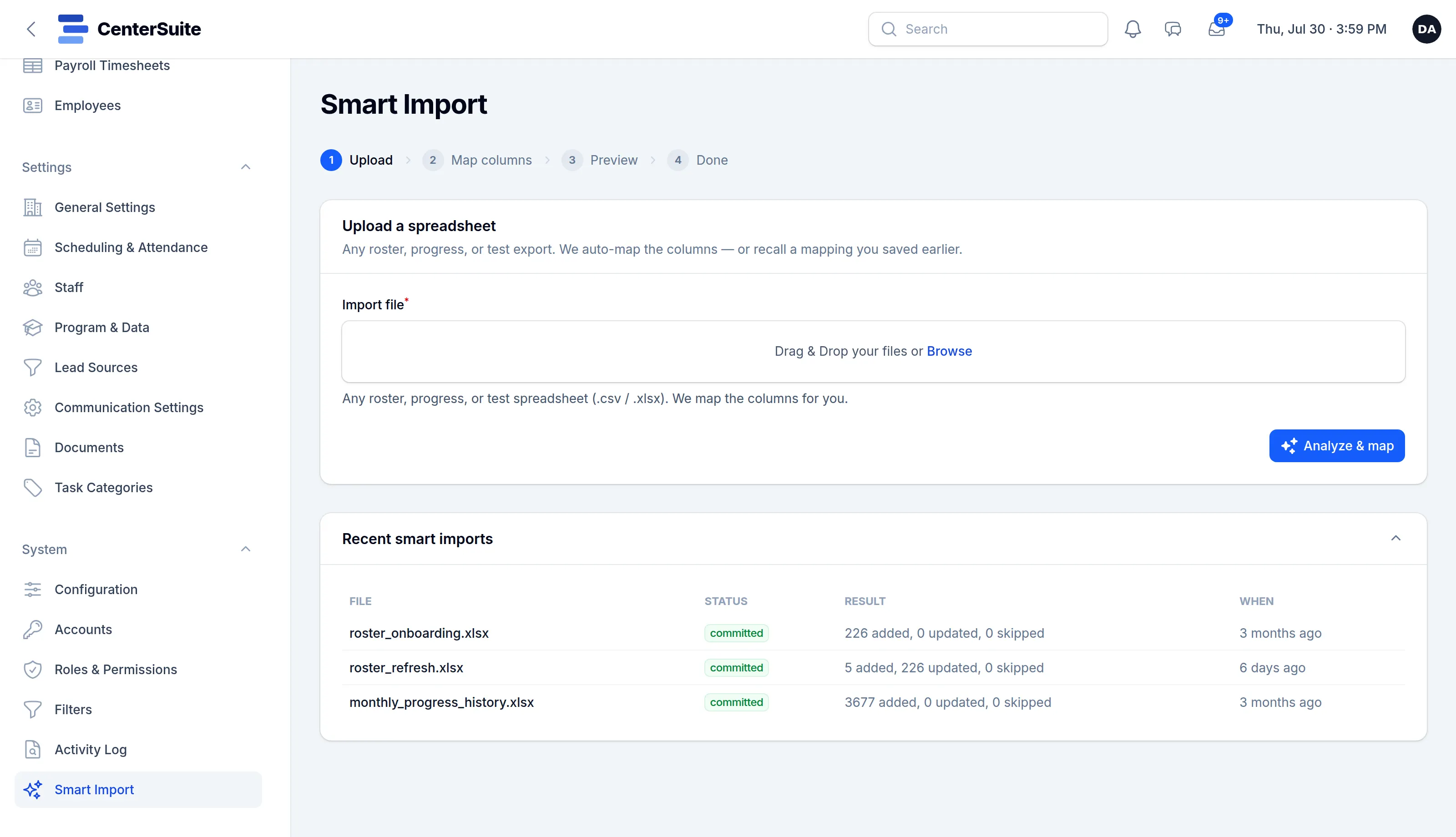
- Upload the export from whatever you use now: a roster, a progress history, a test log.
- Columns are mapped for you, and you can save the mapping for next time.
- Preview exactly what will be added and what will be updated before anything is written.
- Your lending library comes across the same way: one file, not a catalog typed in by hand.
Your team’s call
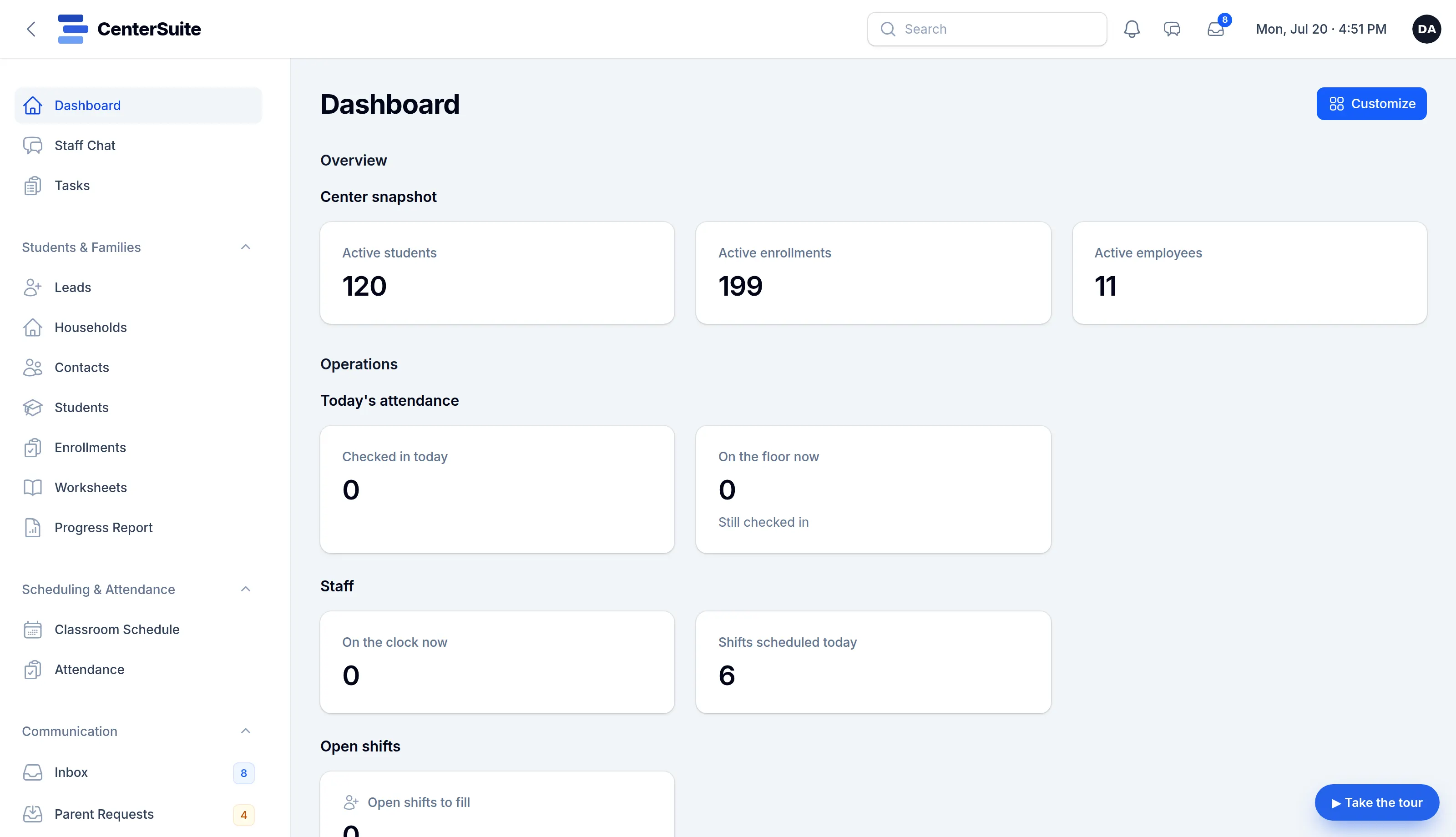
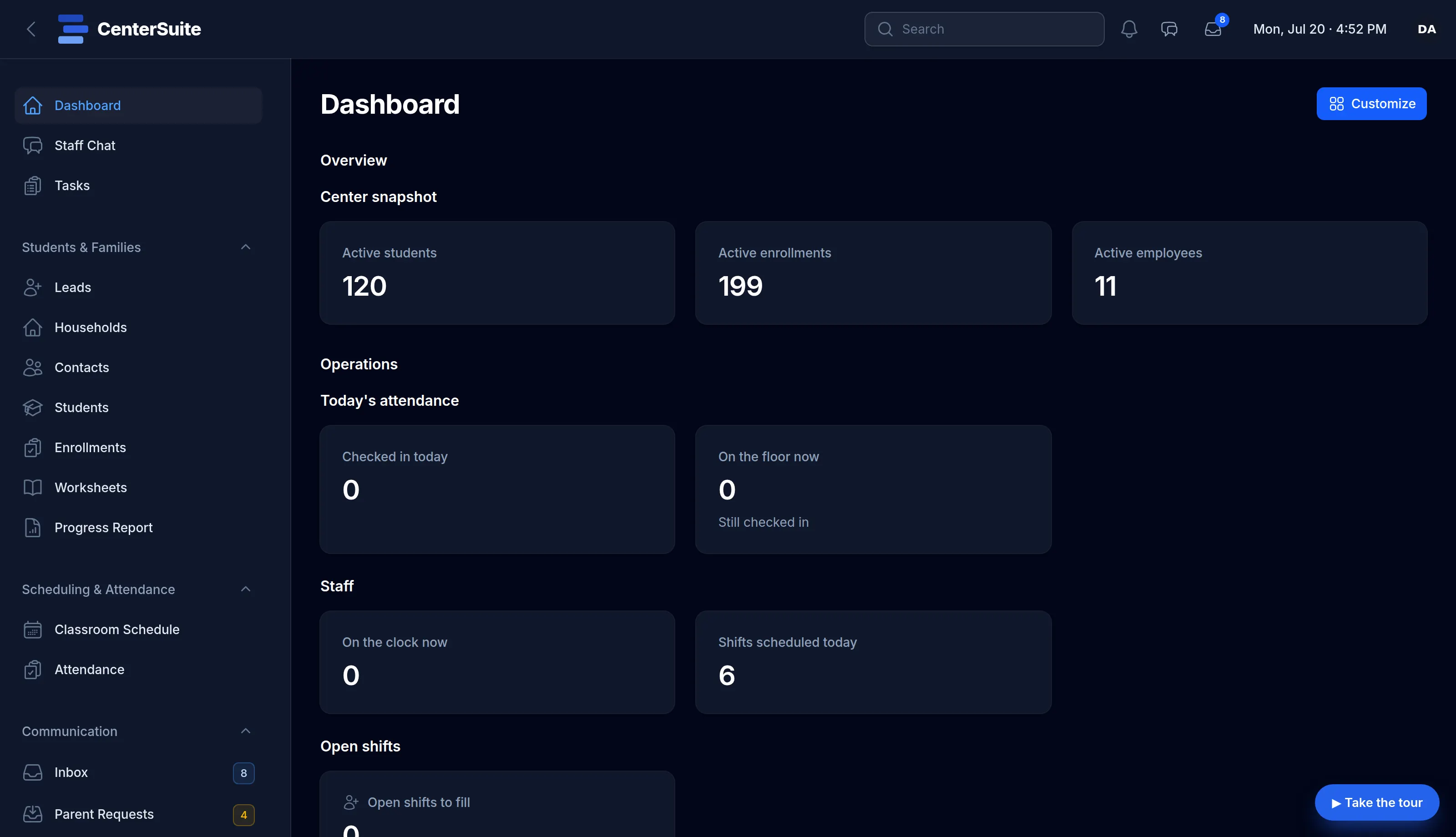
Light or dark.
Every screen comes in both. Each person picks what’s easy on their eyes; the work looks the same either way.
And the rest of the job
The parts other tools charge extra for.
Growth and leads
Track inquiries from first contact through orientation to enrolled, with sources, subject interests and an intake that hands off cleanly into a student record.
Automation
Rules that watch for the moment (a missed class, a new lead, an upcoming bill) and send the right message or create the right task.
Billing reminders
Per-family billing schedules with automatic reminders and follow-up tasks, without a full accounting system to learn. Online payments are processed by Stripe, or by Intuit Payments Inc. for centers that connect QuickBooks.
Lists and exports
Build any list of families, students or staff with saved filters, export it and reuse it. Your data, answering your questions.
Lending library
Track the books, tablets and learning kits you lend out: checked out to a student, due back on a date, flagged when overdue.
Documents and e-sign
Request a document from a family, let them sign it online, and keep it on the record: enrollment agreements, media releases, policy updates.
One subscription
Everything included.
The whole platform for $185 a month, not a stack of add-ons. Here’s the full list.
Families and students
- Households and contacts (people or businesses)
- Students linked to one or more homes
- Per-subject enrollments with a pause and withdraw lifecycle
- Placement and achievement assessments
- Level history and progress over time
- Progress charts and branded parent summaries
- Homework and practice planning with score recording (optional)
- Pinned notes on families, students and staff
- Custom fields and vocabulary per center
Scheduling and attendance
- One classroom schedule, recurring plus one-off changes
- Check-in and a live attendance board
- Walk-ins without breaking the schedule
- Punctuality and capacity at a glance
- Automatic end-of-day close-out
Staff and payroll
- Staff scheduling against your operating hours
- Auto-Schedule a whole pay period from your coverage needs
- A real time clock with breaks and corrections
- Timesheets that roll into a payroll-prep export
- Time-off requests and approvals
- Holiday calendar and holiday-pay handling
- Positions and task assignment
- Employee records separate from logins
- Termination and reactivation handling
Communication
- Email and texts in one inbox
- Two-way texting with conversations
- Photo texting (MMS), send and receive
- Reusable templates
- Branded outbound email (your logo and colors)
- Per-category unsubscribe management
- Inbound email (IMAP)
- Dedicated business number and carrier-registration help
Growth and automation
- Leads pipeline with sources and subject interests
- Structured intake workflow (relabel to Orientation, Free Trial…)
- Convert a lead into an enrollment
- Automation rules with conditions, quiet hours and delays
- Actions beyond messaging: create tasks, notify staff, update fields
- Saved filters for targeted lists
- Recurring tasks and reminders
Billing reminders
- Per-family billing schedules
- Monthly, quarterly, annual and custom cycles
- Payment-method tracking
- Automatic reminders and follow-up tasks
Parent portal
- A private self-service login for each family
- Progress, schedule and attendance
- Two-way email, text and in-app messages
- Billing reminders and schedule at a glance
- Requests and self-service info updates
Team, data and platform
- A dashboard of the widgets each person needs
- Real-time staff chat with @mentions
- Center documents: request, e-sign, collect, retrieve
- Book and device lending library with overdue tracking
- Smart Import for moving your data in
- Saved filters and CSV export of any list
- A full audit log of every change
- Composable roles and permissions
- A private, isolated database per center
- Encryption at rest for sensitive fields
See it run your real workflow.
The fastest way to know if it fits is to watch it run a day like yours. Book a walkthrough, or open your own demo center now.
Ready already? Sign up and start today